

As a manufacturer exporting shockwave therapy machines worldwide, I know how important multilingual interfaces are for clinics in different countries. Many of our customers ask if our software can operate in their native language.
Yes, most modern shockwave therapy machines support multiple interface languages such as English, Spanish, German, French, and Italian. Language selection is typically found in the system “Settings” menu, allowing users to switch instantly without reinstalling or updating the software.
Multilingual functionality helps global users operate the system more comfortably and reduces the chance of setup or treatment errors caused by language confusion.
What Languages Are Commonly Supported?
From my experience working with distributors across 30+ countries, the range of supported languages has grown significantly in recent years.
Commonly supported languages include English, Spanish, German, French, Italian, Portuguese, and Chinese. Premium brands often offer more than ten options to meet international clinic needs.

For multilingual interface best practices, software designers often follow ISO 9241-171:2008 1 and ISO 639 language code standards 2 to ensure accurate localization.
Typical Language Support Examples
| Brand / Model | Supported Languages |
|---|---|
| Longest LGT-2500S Plus | English, German, French, Italian, Spanish |
| EMFOCUS Shockwave Therapy Machine | English, Chinese, Spanish |
| Chattanooga Intelect RPW 2 | English, German, French, Italian, Portuguese |
| ShockWave Pro (ED/PD treatment model) | English, Spanish |
| BTL Focus Shockwave | Multilingual interface with region-based presets |
Why Language Support Matters
Having the interface in a familiar language helps operators reduce setup errors and increases training efficiency. It’s especially useful for new users who may not be fluent in English, allowing clinics to standardize operations across multilingual teams.
Can New Languages Be Added Later?
Many of our OEM clients want custom interfaces for their local markets, and this is usually possible through firmware updates or manufacturer configuration.
Yes, new languages can often be added later via software updates or by requesting the manufacturer to include them in your system’s firmware package. However, adding a new language usually requires factory-level access or a licensed update file.

Firmware localization often aligns with ISO/IEC 25010 3 quality models for software usability and maintainability, ensuring stable updates and data integrity.
Adding New Language Options
| Method | How It Works | Cost / Availability |
|---|---|---|
| Firmware update | Manufacturer adds new translations to the software file. | Usually free during warranty or by request. |
| Custom OEM configuration | Language integrated before shipment for bulk buyers. | Common in B2B custom orders. |
| Paid software customization | For distributors needing local language translation. | Optional fee may apply depending on quantity. |
Customization for Local Markets
For example, we’ve added Arabic and Thai to our firmware for specific distributors who wanted localized interfaces. It’s a simple but valuable upgrade that improves customer satisfaction. Smaller manufacturers or legacy models may not support language installation after production, so it’s best to confirm this before purchase.
Do Language Settings Affect Usability?
Some buyers worry that switching languages might change screen layouts or data accuracy. Fortunately, that’s not the case.
No, language settings do not affect device functionality, data storage, or treatment protocols. They only change the display text and menu labels for easier navigation.
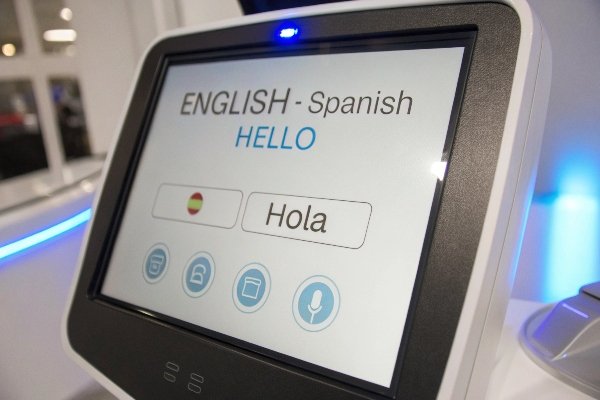
To ensure consistency, user interface testing may follow ISO/IEC 25066:2016 4, which defines methods for verifying user experience and consistency after localization.
Language Switching and Interface Consistency
| Aspect | Affected by Language Change? | Explanation |
|---|---|---|
| Treatment output or protocol | No | Energy and frequency remain identical. |
| Screen layout or graphics | Minimal | Only text labels change; interface remains the same. |
| System logs and data export | Sometimes | Exported files may remain in English format. |
Why It Improves Workflow
When multilingual support is implemented correctly, it enhances usability rather than complicates it. Multilingual menus help technicians from different regions collaborate smoothly. In multi-branch clinics, being able to switch languages instantly also reduces staff training time.
Are Manuals Translated Consistently?
We often get feedback from distributors that while software may be localized, manuals sometimes lag behind. This is a valid concern in international trade.
Manuals are usually translated into major languages like English, Spanish, German, and French, but translation quality and completeness vary by manufacturer. Some brands rely on automated translations, while others provide professionally localized documents.

To maintain alignment between interface and documentation, manufacturers often follow ISO/IEC/IEEE 26511:2018 5 for multilingual user documentation and IEC 62366 usability engineering 6 for consistent terminology.
Manual Translation Overview
| Document Type | Translation Availability | Notes |
|---|---|---|
| Quick start guide | Always multilingual | Usually printed in 3–5 languages. |
| Full user manual | Multilingual (quality varies) | May include screenshots in different languages. |
| Online manuals | English-only for smaller brands | Often updated faster than printed versions. |
Ensuring Consistency Between UI and Manuals
When ordering in bulk, we recommend asking your supplier to confirm that the manual language matches the software interface. For OEM buyers, this can be specified during contract negotiation to ensure consistent branding and translation accuracy.
Professional manufacturers also allow you to co-brand the manual, so your local distributor can add verified translations for regulatory compliance, following ISO 17100 translation standards 7.
How to Verify Translation Quality
For clinical use devices, inaccurate translations can cause operational risk. Buyers can request documentation showing professional translation processes or localization verification.
International regulators such as the European Commission’s MDR Annex I 8 and U.S. FDA Human Factors guidance 9 both emphasize readable, localized interfaces for safe use.
Conclusion
Most modern shockwave therapy machines support multiple languages out of the box, and additional ones can often be added through updates.
To ensure smooth operation and local compliance, verify both software and manual translation quality with your supplier before purchase, following recognized localization and usability standards 10.
Footnotes
1. ISO 9241-171 – Ergonomics of human-system interaction for software accessibility. ↩︎
2. ISO 639 – Language code standard for software localization. ↩︎
3. ISO/IEC 25010 – Software quality models for maintainability and usability. ↩︎
4. ISO/IEC 25066 – Guidelines for user interface evaluation and consistency. ↩︎
5. ISO/IEC/IEEE 26511 – Guidance for multilingual user documentation. ↩︎
6. IEC 62366 – Usability engineering for medical devices. ↩︎
7. ISO 17100 – Requirements for translation services. ↩︎
8. EU MDR Annex I – Language and usability requirements for medical devices. ↩︎
9. FDA guidance on human factors and usability engineering. ↩︎
10. Localization and translation compliance per ISO and MDR/FDA frameworks. ↩︎

 English
  Español de México
  Deutsch
  Français
  العربية
  Русский