

When we design the control systems for our latest shockwave devices, we know that a single software bug can cause hours of unexpected clinical downtime. If your supplier lacks a robust update strategy, your expensive medical equipment becomes a liability rather than an asset medical equipment 1, leaving you vulnerable to technical glitches and angry customers.
To evaluate support capabilities, verify if the supplier offers remote OTA updates via Wi-Fi or requires manual USB installation. Confirm adherence to IEC 62304 standards for medical software life-cycle management and ask for a roadmap detailing future security patches, feature enhancements, and legacy hardware support policies.
Here is exactly what you need to check before signing a purchase order to ensure your machines remain operational and competitive.
Does the shockwave machine support remote OTA updates or will I need to handle manual installations?
We often hear from clients who are tired of managing complex file transfers just to apply simple bug fixes to their inventory. bug fixes 2 Outdated update methods waste your technicians' time and significantly increase the risk of installation errors that can render a machine unusable.
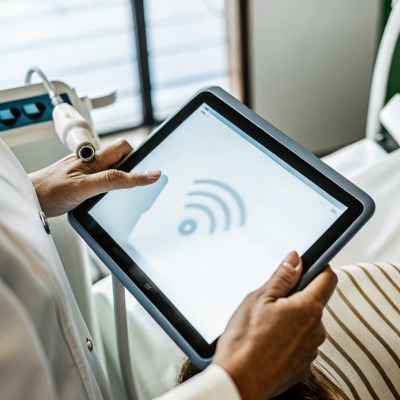
Modern shockwave machines should support Over-the-Air (OTA) updates via Wi-Fi or Ethernet for seamless patching. While some suppliers still rely on USB drives, cloud-based systems ensure immediate access to critical fixes and minimize device downtime compared to manual, user-managed installation processes.
The Risks of Manual USB Updates
In the past, updating a shockwave therapy machine was a physical task. It involved waiting for a supplier to email a zip file, extracting it to a specific type of SD card or USB drive, and hoping the file structure was correct. From our perspective on the production floor, this method is fraught with danger for the end-user. We have seen instances where a clinic used a corrupted USB drive, resulting in a "bricked" screen—a device that turns on but refuses to load the operating system. operating system 3
When you evaluate a supplier, ask them specifically about their "un-bricking" process. If an update fails via USB, does the machine have a dual-partition memory that allows it to roll back to the previous version automatically? If the answer is no, a simple failed update could require shipping the machine back to the factory or waiting for a specialized technician to visit.
Why OTA is the Industry Standard
Smart devices in every other sector use Over-the-Air (OTA) 4 Over-the-Air (OTA) technology, and medical aesthetics equipment is finally catching up. Over-the-Air (OTA) technology 5 An OTA-capable machine connects to a secure server, verifies the update integrity using checksums SHA-256 6 (like SHA-256) to prevent corruption, and installs the software without user intervention.
This capability is not just about convenience; it is about speed. If we discover a calibration error in the energy output of a specific handpiece, we can push a patch to all connected devices globally within hours. With manual updates, that same fix might take weeks to distribute to your entire distribution network.
Comparing Delivery Methods
The table below outlines the operational differences you will face depending on the supplier’s chosen technology.
| Feature | OTA (Wi-Fi/Ethernet) | Manual USB/SD Card | On-Site Technician |
|---|---|---|---|
| Speed of Deployment | Immediate (Real-time) | Slow (Days to Weeks) | Very Slow (Weeks to Months) |
| User Effort | Minimal (One click) | High (Download, transfer, install) | None (But requires scheduling) |
| Risk of User Error | Low (Automated checks) | High (Wrong files, bad drive) | Low (Pro handling) |
| Cost to Distributor | Low (Internet connection) | Medium (Staff time) | High (Travel fees) |
| Emergency Fixes | Instant Patching | Email delay | prolonged downtime |
Will I incur additional costs for future software patches and feature enhancements?
During our contract negotiations, we see that unexpected maintenance fees are a major friction point for distributors who assumed "lifetime support" meant "everything is free." Hidden costs for essential firmware patches can destroy your projected profit margins over the device's lifespan.
Suppliers typically offer essential bug fixes and security patches for free, but major feature upgrades often require paid software maintenance agreements. You must clarify upfront if the purchase price covers lifetime firmware updates or if you will face annual licensing fees to keep the device operational.
Distinguishing Between Patches and Upgrades
It is vital to understand the difference between a "patch" and an "upgrade" in the context of medical manufacturing. In our facility, we treat a patch as a necessity—it fixes a problem that prevents the machine from working as advertised. This includes correcting energy fluctuation bugs, fixing touchscreen responsiveness, or patching security vulnerabilities. These should always be free. If a supplier charges you to fix their own mistakes, that is a major red flag.
An upgrade, however, adds new value. This might be a new clinical protocol for a specific treatment area (e.g., adding a preset for "Plantar Fasciitis" that wasn't there before) or a completely redesigned user interface. Suppliers are entitled to charge for this new value. However, the terms must be clear. Some European brands now operate on a subscription model where the machine locks out certain advanced features if the annual software license isn't renewed.
The Hidden Costs of Legacy Support
Another financial trap is the "End of Service" policy. A supplier might offer free updates, but only for the current model. Once a new version is released, they might stop developing patches for the older hardware.
You need to ask: "If I buy this model today, and you release a new version next year, how long will you support my current stock?" The industry standard for medical devices is usually 5 to 7 years of support after the last unit is manufactured. If the supplier does not have a written policy on this, you risk carrying inventory that becomes obsolete the moment a new model launches.
Cost Structure Breakdown
Use this guide to question your potential supplier about their pricing model.
| Update Type | Industry Standard Cost | What to Watch Out For |
|---|---|---|
| Bug Fixes / Stability | Free | Suppliers charging "service fees" for bugs. |
| Security Patches | Free | ignoring cybersecurity updates entirely. |
| New Clinical Protocols | Paid / One-time fee | Mandatory subscriptions to access protocols. |
| New UI / Features | Paid / One-time fee | Features that slow down older hardware. |
| Hardware Compatibility | Free (if required) | Forced hardware upgrades to run new software. |
Can the supplier customize the user interface to reflect my private label branding?
Our engineering team frequently adapts interface graphics for US brands that want a cohesive look across their product line, rather than selling a generic machine. A generic interface dilutes your brand identity and makes your premium devices look like off-the-shelf commodities found on any marketplace.
Capable suppliers can customize the user interface (UI) to include your logo, brand colors, and specific boot screens as part of their OEM services. You should request a software simulation or screenshots during the sampling phase to ensure the branding is deeply integrated, not just a superficial overlay.

Beyond the Logo: Deep UI Customization
Many suppliers claim they can do "software customization," but often this just means they paste your logo on the home screen. True private labeling goes much deeper. When we work with premium brands, we modify the entire color palette of the operating system to match their brand guidelines. If your brand uses a specific shade of medical blue, the buttons, sliders, and background elements on the touchscreen should reflect that code.
Furthermore, we can customize the "boot animation"—the video or graphic that plays when the machine is turned on. This is the first thing the end-user sees, and it sets the tone for the entire experience. A generic "System Loading" bar looks cheap. A custom animation with your brand's slogan looks professional.
Technical Limitations and Update Compatibility
One critical question to ask is whether customizing the software will hinder future updates. Sometimes, if a supplier creates a "forked" version of the software for your brand, they might forget to apply general bug fixes to your specific version because it is separate from their main codebase.
You must ensure that the supplier has a system in place to merge their core updates with your custom UI. Otherwise, you might find yourself stuck on an old, buggy version of the software simply because the supplier doesn't want to do the extra work of recompiling the update for your custom branding.
Elements of Software Customization
Below are the key software elements you should request to be customized for a true OEM experience.
- Boot Screen: Custom logo and animation upon startup.
- Idle / Saver Screen: Displays your brand or promotional images when the machine is inactive.
- Language Options: Pre-setting the default language for your target market.
- Protocol Names: Renaming generic treatments to match your proprietary marketing terms (e.g., changing "Cellulite Mode" to "SmoothSkin Therapy").
- Contact Info: Embedding your support email and phone number directly into the "Help" or "About" menu of the device.
How can I verify that the engineering team rigorously tests software for stability before release?
We dedicate weeks to stress-testing new firmware versions because we know that a frozen screen during a patient treatment is unacceptable and unprofessional. Without rigorous validation, software updates can introduce dangerous glitches that compromise patient safety or damage the mechanical components of the handpiece. patient safety 7
You can verify stability testing by requesting the supplier's validation reports and IEC 62304 compliance documentation. Ask about their beta testing protocols, regression testing procedures for existing features, and whether they use automated diagnostic tools to simulate high-frequency usage before releasing updates to the market.

The Importance of IEC 62304
In the medical device industry, software is not just code; it is a medical component. The international standard IEC 62304 governs the lifecycle of medical device software. It requires manufacturers to classify their software based on safety risks.
- Class A: No injury possible.
- Class B: Non-serious injury possible.
- Class C: Serious injury or death possible.
Shockwave therapy software generally falls into Class B, as improper energy output could cause bruising or pain. A professional supplier must be able to show you their "Software Development Lifecycle" (SDLC) documents Software Development Lifecycle 8. If they look at you blankly when you mention IEC 62304 IEC 62304 9, they are likely not following rigorous safety standards. This means their updates could be untested and risky.
Regression Testing and Automation
The most common issue with updates is that fixing one thing breaks another. This is where Regression Testing comes in. Before we release an update, we run a standard set of tests to ensure that the basic functions—like turning the beam on/off, adjusting frequency, and emergency stop—still work perfectly.
We also use automated systems to simulate years of usage. We might program a test unit to switch between protocols 10,000 times in a row. If the software crashes or the memory leaks (causing the device to slow down over time), we catch it in the lab, not in your customer's clinic. You should ask your supplier: "Do you perform automated stress testing on new firmware, or is it all done manually? automated stress testing 10" Manual testing often misses subtle bugs that appear after long-term use.
Essential Testing Documents
To audit a supplier's engineering rigor, ask to see examples of these documents (redacted is fine).
| Document Name | Purpose | What it Proves |
|---|---|---|
| Software Release Note | Lists changes, fixes, and known issues. | Transparency about what changed. |
| Validation Report | Results of pass/fail tests for the update. | They actually tested it. |
| Risk Management File | Analysis of potential hazards (ISO 14971). | They considered safety implications. |
| Bug Tracking Log | History of identified and fixed defects. | A systematic approach to quality. |
Conclusion
Evaluating a supplier's software support is just as critical as inspecting their hardware. A beautiful machine with unstable software or a difficult update process will drain your resources and damage your reputation. By verifying their update methods (OTA vs. USB), clarifying cost structures, ensuring deep UI customization, and demanding proof of stability testing, you secure a partnership that supports your growth rather than hindering it.
Audit your supplier today: Ask for their IEC 62304 compliance records and a demo of their remote update process.
Footnotes
1. WHO overview of medical devices and their importance in healthcare systems. ↩︎
2. Example of how major manufacturers document and distribute software bug fixes. ↩︎
3. General background on the core software that manages hardware and user applications. ↩︎
4. Definition of the remote update technology used in modern devices. ↩︎
5. General background on the technology used for remote software delivery. ↩︎
6. Technical specification for the cryptographic checksum used to verify integrity. ↩︎
7. WHO fact sheet on global patient safety standards and risks in medical care. ↩︎
8. Explanation of the engineering process required for medical software safety. ↩︎
9. Link to the official international standard for medical device software. ↩︎
10. IBM’s technical overview of software testing methodologies and automation. ↩︎

 English
  Español de México
  Deutsch
  Français
  العربية
  Русский