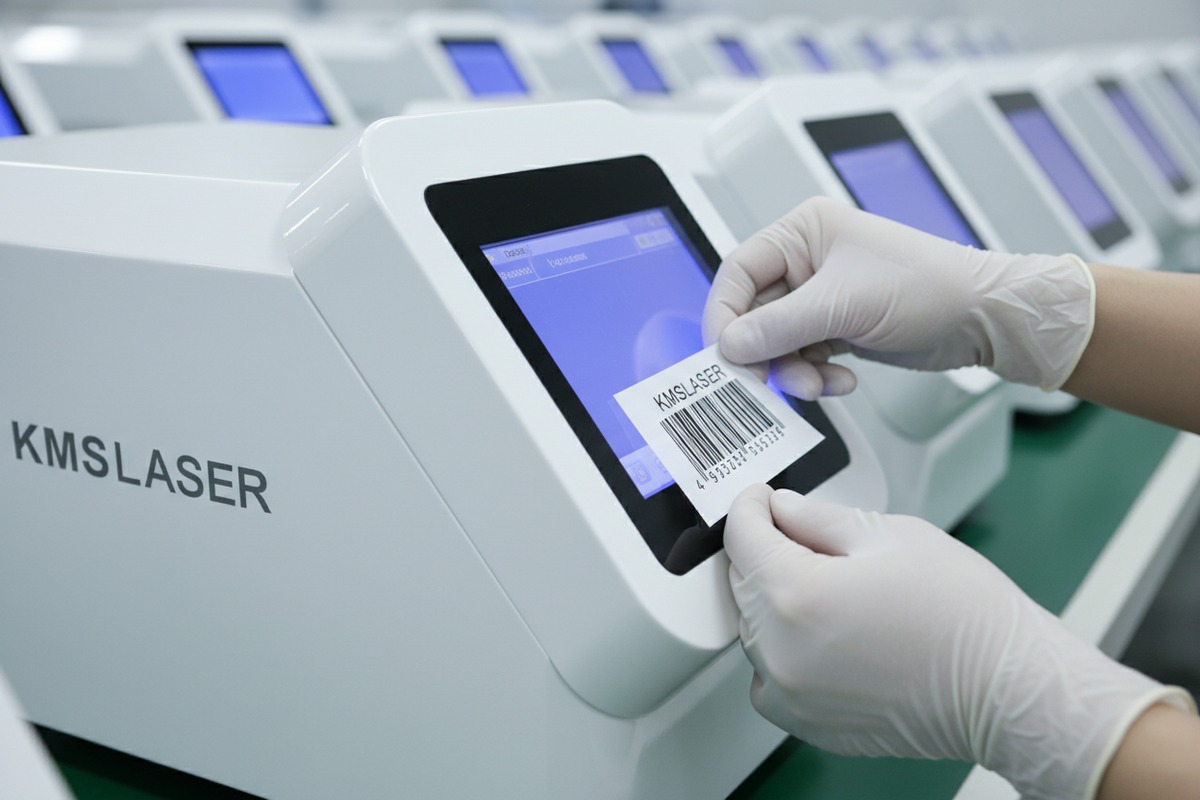
When our production team ships pressotherapy machines overseas, we see orders delayed at warehouses—not from product defects, but from barcodes that fail to scan. The problem hits hard: chargebacks, inventory chaos, and lost trust with distributors.
To ensure UPC/EAN barcodes are scannable on pressotherapy machines, source barcodes from GS1 directly, print at 100% black on white with 300 DPI resolution, maintain 0.25-inch quiet zones, use proper sizing (80-200% magnification), place labels on flat surfaces, and verify print quality with ISO-graded verifiers before shipment.
Let’s walk through the exact steps to prevent barcode failures—from verifying your manufacturer’s printing capabilities to conducting proper pre-shipment inspections.
How can I verify that my manufacturer uses high-resolution printing for scannable UPC labels?
When we first partnered with packaging suppliers, we learned that a barcode can look perfect to the eye but still fail at checkout. Print quality issues hide beneath the surface—fuzzy edges, ink spread, poor contrast.
To verify high-resolution printing, request 300 DPI vector artwork (EPS format), demand press proofs before production, and use a calibrated barcode verifier to check ISO/IEC 15416 grades. Your manufacturer should achieve Grade B or higher, with clear bar edges and proper contrast ratios.

Why Resolution Matters for Retail Scanning
You need to use high-resolution artwork and high-resolution printing. Using both means that the lines and spaces in your barcode are clean and readable. When importing pressotherapy machines, this becomes critical because your products pass through multiple scanning environments—customs, warehouses, distribution centers, and retail checkout.
Our engineering team has tested dozens of label samples. EPS is a file in vector format that has been designed to produce high-resolution graphics 1 exclusively for print. EPS files essentially contain a series of instructions for how a printer should reproduce an image at the maximum resolution. These files are in the print industry standard format and can be imported or inserted with most graphic applications.
Printer Technology Comparison
| Printing Method | Best For | Resolution Quality | Durability |
|---|---|---|---|
| Thermal Transfer 2 | Long-lasting labels | High | Excellent |
| Direct Thermal | Shipping labels | Medium | 6-12 months |
| Flexographic | High-volume runs | Very High | Excellent |
| Inkjet | Color branding | Variable | Moderate |
Thermal transfer excels for durability across Industrial and Healthcare settings—resin or mixed ribbons handle abrasion and chemicals. Direct thermal suits Short-Run and E-commerce shipping labels where lifetime is measured in days, not months.
Key Questions to Ask Your Manufacturer
Before finalizing any supplier agreement, verify these printing specifications:
- What DPI does your printer operate at?
- Can you provide vector-format barcode artwork?
- Do you use calibrated barcode verifiers?
- What ISO grade do your barcodes typically achieve?
Printer choice impacts readability. Inkjet-printed labels might smudge on rainy days. Inkjets also often tend to make fuzzy images. For pressotherapy machines that ship internationally and may encounter various environmental conditions, thermal transfer printing offers the best reliability.
Checking Contrast and Color Compliance
GS1 barcodes 3 require dark colors for bars (e.g., black, dark blue, or dark green). Avoid printing the bars in red, or in a reddish color, like brown. This is because scanning lasers use red light, and red bars are "invisible" to the scanner's red light.
It is always best to print barcodes as 100% black on a white field. Other color combinations can work but the precise color combination should be thoroughly tested in retail scanning environment 4 before proceeding.
What specific steps should I include in my pre-shipment inspection to test barcode readability?
In our experience exporting to the US and Europe, we've witnessed shipments held at Amazon fulfillment centers because barcodes failed automated scanning. A proper pre-shipment inspection protocol 6 prevents these costly delays.
Include these steps in your pre-shipment inspection: verify barcodes with a calibrated ISO/IEC 15416 verifier (not just a scanner), test random samples from 80% of completed goods, check quiet zones measure at least 0.25 inches, confirm Grade B or higher results, and document all verification reports for your records.

The Difference Between Scanners and Verifiers
Many importers make a critical mistake—they test barcodes with a simple handheld scanner and assume all is well. A scanner only reads the data inside a barcode, while a verifier checks print quality and compliance with international standards.
Barcode grading 7 translates these measurements into a quality score, typically ranging from Grade A (4.0) to Grade F (0.0). Most global retailers and logistics providers require suppliers to meet a minimum grade—often Grade B or better—to ensure trouble-free scanning across the supply chain.
Pre-Shipment Inspection Checklist
| Inspection Step | Tool Required | Pass Criteria |
|---|---|---|
| Symbol Grade | ISO Verifier | Grade B (3.0) or higher |
| Quiet Zones 8 | Ruler/Calipers | ≥0.25 inches on each side |
| Contrast Check | Densitometer | Black on white or high contrast |
| Data Validation | Database lookup | Correct GTIN matches product |
| Size Verification | Ruler | 80-200% magnification |
Sampling Methods for Large Orders
Accredited inspection agencies send trained inspectors to conduct these inspections by selecting random samples of the products using universally accepted statistical sampling methods. (ANSI/ASQC Z1.4 (ISO 2859-1))
For pressotherapy machine orders, we recommend:
- Order size 100-500 units: Test 20 random samples
- Order size 500-2,000 units: Test 50 random samples
- Order size 2,000+ units: Test 80 random samples
The inspector performs volumetric verification by measuring physical attributes like size, weight, length, colour, and dimensions of the products. This ensures that the shipment meets the necessary standards for the order. A barcode verification is done to ensure all information is correctly captured, readable, and properly placed. The inspector checks that barcodes are legible when scanned, contain the right product and destination details, and are durable enough to withstand international shipping.
What to Document in Your Verification Report
It is recommended to keep a log of all verification reports issued for future reference. It is recommended to issue the report with a validity of one year.
Your documentation should include:
- Sample ID and batch number
- ISO symbol grade achieved
- Individual parameter scores
- Photos of any defects found
- Inspector signature and date
How do I ensure my private-label packaging design doesn't compromise barcode scannability?
Our design team frequently receives artwork from brand owners that looks beautiful but violates basic barcode principles. Graphics crowd the quiet zone, creative colors replace black bars, or the barcode gets shrunk to fit an aesthetic layout.
Protect barcode scannability in private-label designs by maintaining 0.25-inch minimum quiet zones, using 100% black bars on white backgrounds, sizing at 100-150% magnification (1.469" x 1.02" nominal), placing barcodes on flat packaging surfaces away from edges and seams, and never truncating bar height.

Quiet Zone Requirements
Quiet zones are the blank areas on both sides of the barcode that scanners need to detect the symbol correctly. If artwork elements enter the quiet zone, scan reliability drops significantly.
For pressotherapy machine packaging, this means:
- Keep all graphics at least 0.25 inches from barcode edges
- Avoid placing barcodes near fold lines or seams
- Never let decorative borders touch the barcode
The quiet zone prepares the scanner for the barcode that is to follow. Quiet zones are required on both ends so that barcodes can be read from either direction.
Size Specifications for UPC/EAN Barcodes
| Magnification | Width | Height | Best Use Case |
|---|---|---|---|
| 80% (Minimum) | 1.175" | 0.816" | Small accessories only |
| 100% (Nominal) | 1.469" | 1.02" | Standard retail products |
| 150% | 2.2" | 1.53" | Larger packaging |
| 200% (Maximum) | 2.938" | 2.04" | Bulky items, warehouse scanning |
For UPC-A, the nominal size is 1.469 inches wide by 1.02 inches high, including the number system and check characters. The maximum recommended size, 200% of the nominal size, is 2.938" w x 2.04" h. The minimum recommended size is 80% of the nominal size, or 1.175" w x .816" h.
Common Design Mistakes to Avoid
If you know a graphic designer who hasn't tried to make the UPC smaller, we'd love to invite them to dinner. UPC barcodes have a defined sizing range for the width and height dimensions. These dimensions, particularly the minimum sizing, are based on limitations of the scanners used to read the UPC and the printing technology used to create them. Smaller barcodes have tighter print tolerances and can be problematic for scanners. Also, reducing the height of a UPC has a negative impact on scanning performance.
It's best to print barcodes at their full height and not remove portions to make it fit on the packaging (this is called truncation) since this could result in incorrect scanning. Also, leave a clear, unprinted area on the left and right sides of the barcode (known as the quiet zone).
Placement Guidelines for Pressotherapy Machine Boxes
In general, for an item scanned at checkout, you would put the barcode in the lower right-hand section of the back of the package. Avoid the edge of the package, and allow enough white space surrounding the barcode to help to ensure a clean scan. It's also critical that the printed surface be smooth so nothing interferes with the scanner's ability to read the barcode.
For pressotherapy machines with their control units and compression suits:
- Place barcodes on the flat sides of outer cartons
- Avoid placement near handles or areas likely to be damaged
- Position at least 8mm from package edges
- Use the lower right back section when possible
Can my supplier provide a barcode verification report to prevent inventory delays in my warehouse?
When we negotiate contracts with overseas suppliers, we include barcode verification reports as a standard deliverable. This documentation protects both parties and prevents disputes when scanning issues arise.
Yes, reputable suppliers can provide GS1-compliant barcode verification reports showing ISO symbol grades, parameter scores, and pass/fail status. Request reports for samples before mass production and for random units during pre-shipment inspection. Keep reports for at least one year as proof of compliance.
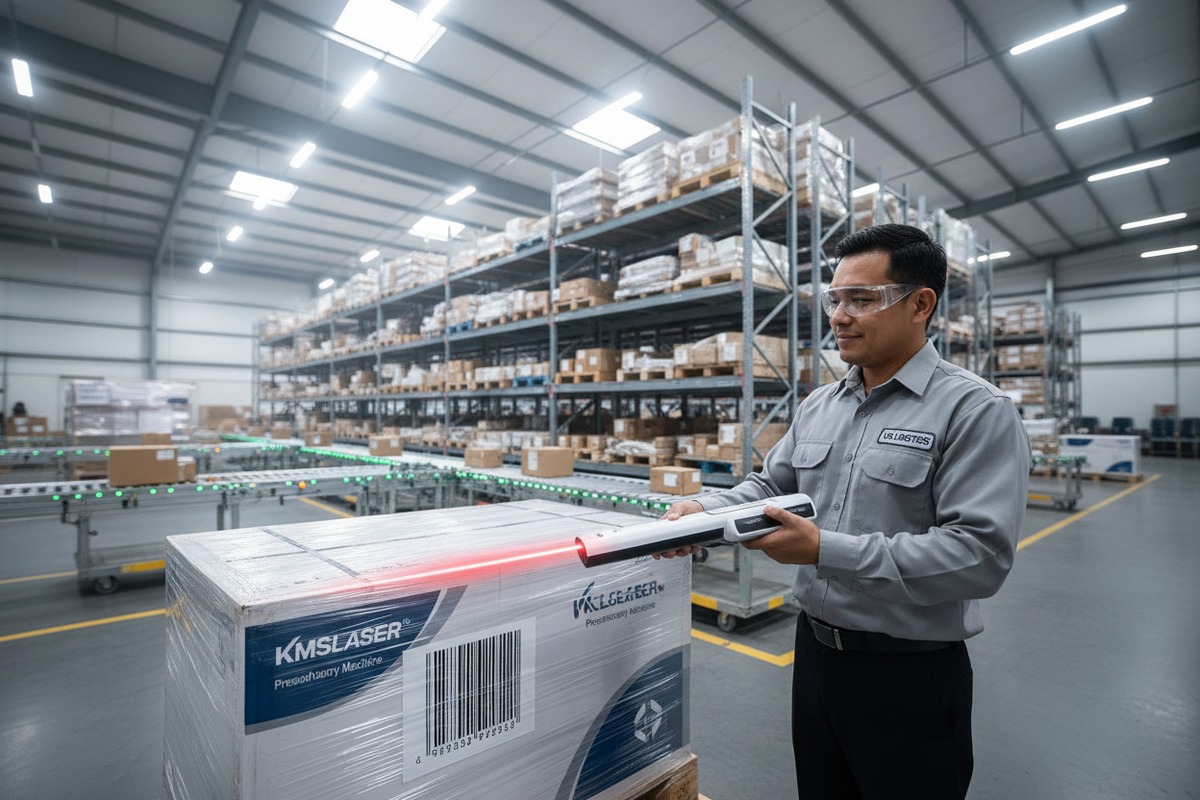
What a Proper Verification Report Contains
Select "Approved" or "Not Approved" or "Not Assessed" as appropriate to indicate whether the barcode meets all of the GS1 requirements for scanning in an omnidirectional environment and achieved an ISO Symbol Grade of 1.5/06/670 or higher.
A complete verification report should include:
Report Components Table
| Component | Description | Why It Matters |
|---|---|---|
| ISO Symbol Grade | Overall quality score (A-F) | Predicts scan success rate |
| Aperture Setting | Measurement aperture used | Ensures proper testing conditions |
| Ambient Light | Testing environment specs | Confirms controlled conditions |
| Individual Parameters | Contrast, modulation, edges | Identifies specific weaknesses |
| Data Decoded | Actual GTIN captured | Confirms correct data encoding |
Barcode verification evaluates barcode print quality against global standards—ISO/IEC 15416 (1D) 9 and ISO/IEC 15415 (2D). Unlike simple scanning, it detects hidden defects like low contrast or modulation issues to guarantee consistent readability.
How to Request Reports from Your Supplier
There are only three ISO standards that pertain to barcode quality. These three standards are: ISO 15416 for 1D barcodes, ISO 15415 for 2D label-based barcodes, and ISO/IEC TR 29158, or AIM DPM, for 2D DPM codes.
When working with your pressotherapy machine supplier, specify these requirements in your purchase agreement:
- Pre-production sample report: Before mass production begins
- In-process verification: During manufacturing runs
- Pre-shipment report: Based on random sampling from finished goods
- Calibration certificates: For the verifier equipment used
The Cost of Not Requiring Verification Reports
Routine verification is critical for full compliance. Prevents costly errors and chargebacks – Inaccurate or unreadable barcodes cause expensive problems like incorrect shipments, inventory discrepancies, and product recalls.
Your barcode could look great on the package and be formatted perfectly; but if it fails to scan, it may require manual keying of the GTIN® and could potentially lead to lost sales and market share from customers at checkout. You may also have additional expenses from retailer charge-backs.
We've seen brand owners lose thousands of dollars from a single shipment of unscannable products. Major retailers like Walmart and Amazon impose strict penalties for non-compliant barcodes—money that comes directly from your margins.
Building Verification into Your Supply Chain
To ensure every label meets retailer and supply chain standards and to prevent scanning failures, chargebacks, and shipment rejection. Inline verification is ideal for high-volume production environments where every printed barcode must meet quality requirements.
For ongoing relationships with pressotherapy machine suppliers, consider these quality control integrations:
- Monthly verification reports for repeat orders
- Automatic reprint protocols when grades fall below B
- Shared access to verification data through cloud systems
- Annual equipment calibration requirements
Conclusion
Ensuring scannable UPC/EAN barcodes on pressotherapy machines requires attention at every stage—from verifying manufacturer print quality to conducting thorough pre-shipment inspections. Work with GS1-compliant processes, demand verification reports, and protect your supply chain from preventable scanning failures.
Footnotes
1. Explains what a high-resolution image means for printing quality. ↩︎
2. Wikipedia provides a comprehensive overview of thermal transfer printing technology. ↩︎
3. Official source for global barcode standards and identification. ↩︎
4. Discusses the role and types of barcode scanners in a retail environment. ↩︎
5. Adobe provides a definitive explanation of vector files and their characteristics. ↩︎
6. TÜV SÜD provides an authoritative definition and details of pre-shipment inspection. ↩︎
7. Explains ISO barcode grading standards and their importance for quality. ↩︎
8. GS1 UK provides a clear and authoritative definition of quiet zones in barcodes. ↩︎
9. Provides detailed explanation of the ISO/IEC 15416 barcode verification standard. ↩︎


 English
 Español de México
 Deutsch
 Français
 العربية
 Русский
Join the Conversation
Have a question or insight to share? We read every comment — whether you're a distributor, salon owner, or just curious about the technology. Your real-world experience helps others make better decisions. Drop your thoughts below.