
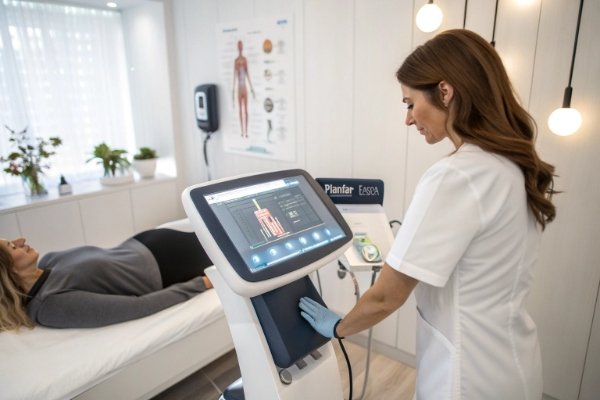
When I first shipped our early units, the top request from busy clinics was simple: “Give me presets I can trust, so new staff do not guess settings on day one.” I took that to heart.
Yes—modern shockwave therapy machines (ours included) offer preset treatment modes. These are preprogrammed protocols for common indications and regions, each with suggested energy, frequency, pulse count, and guidance. Presets cut setup time, standardize sessions across therapists, and keep outcomes consistent while still allowing manual fine-tuning when needed.
We design our presets with clear names, anatomy images, and step prompts for extracorporeal shockwave therapy (ESWT) 1. Our UI choices follow the IEC 62366 human-factors standard for medical devices 2. New operators follow the screen. Senior clinicians switch to manual mode when they want a custom dose. That balance keeps daily work smooth and safe.
What Benefits Do Predefined Protocols Offer for Daily Clinical Operations?
I remember a clinic owner telling me they lost ten minutes each hour because staff kept asking for parameter advice. After they adopted presets, those questions almost vanished.
Predefined protocols streamline intake-to-treatment flow: they shorten setup, reduce training, lower dosing mistakes, and help junior staff treat confidently under supervision. Presets also make multi-room scheduling easier because everyone uses the same starting point and documentation.
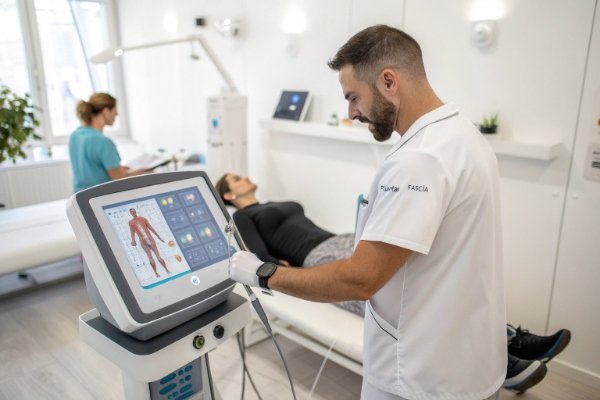
Where presets save time and stress
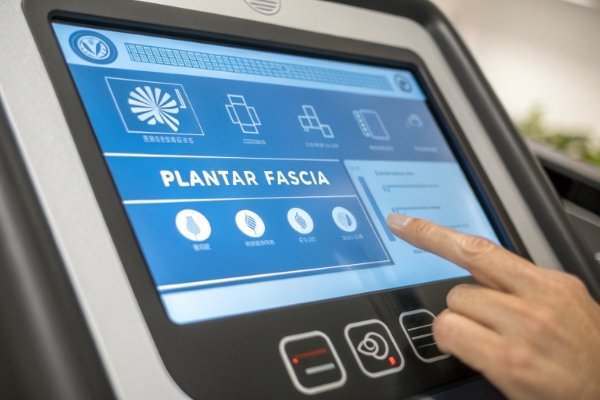
- Fast start: Pick “Plantar Fascia” 3, and the machine loads default energy, frequency, and pulses.
- Fewer errors: Clear ranges and warnings avoid unsafe jumps in intensity.
- Team alignment: Every therapist uses the same baseline, so handovers are simple.
- Better notes: Protocol name and parameters auto-log to patient records for audits.
Typical preset structure (how we build it)
| Field | What You See | Why It Helps |
|---|---|---|
| Indication | e.g., “Patellar Tendinopathy” 4 | One-tap selection |
| Region Map | Small knee diagram | Confirms placement |
| Starting Parameters | Energy, Hz, pulses | Proven baseline |
| Safe Range Hints | Min–max sliders | Prevents overdosing |
| Tip Suggestion | e.g., Ø15 mm standard | Better comfort |
| Notes | Therapist reminders | Consistent technique |
Real-world outcome
In multi-site groups I support, presets reduced average setup time per case by 2–3 minutes. Over a week, that adds several extra bookings without extending hours. Fewer parameter errors also dropped follow-up calls about post-session soreness.
How Do Preset Modes Benefit Salon or Clinical Operators?
When I train salon teams, I see the relief on day one. They want structure that still leaves room for judgment. Presets give them both.
For salons and clinics, presets reduce the learning curve, keep patient experience consistent, and speed up new-hire onboarding. Operators rely on a safe baseline, then adjust one step at a time as tolerance and goals evolve. This keeps outcomes steady across different staff.
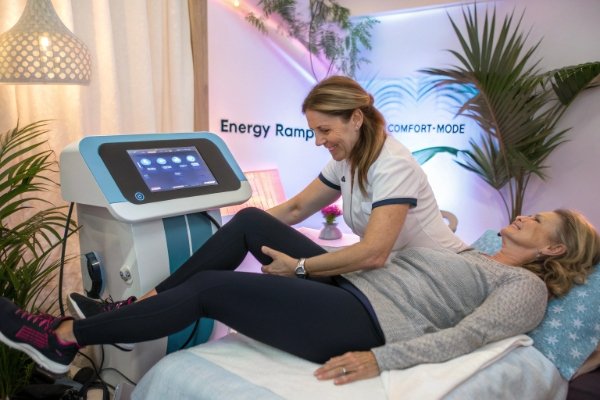
Operator-level benefits you will notice
- Confidence: A named protocol sets expectations for dose and feel.
- Consistency: Repeat visits feel the same regardless of who runs the session.
- Pacing: Presets suggest total pulses and cadence, so sessions end on time.
- Comfort: Built-in reminders prompt you to start lower, then ramp slowly.
A simple session flow I recommend
- Choose preset for the target region.
- Confirm head type (e.g., Ø15 mm or soft tip).
- Test 10–20 pulses at the low end of the preset range.
- Ramp within the guided slider if the patient is comfortable.
- Record the final parameters—your next visit starts smarter.
Mini-table: What hides behind a good preset
| Preset Element | Behind the Scenes |
|---|---|
| Energy start point | Based on tolerance trends from clinics |
| Frequency default | Chosen to balance depth and comfort |
| Pulse count | Calibrated for session time and fatigue |
| Warnings | Triggered when you approach risk thresholds |
What Questions Should a Distributor Ask to Evaluate the Richness of the Preset Library?
Distributors tell me presets are a big selling point, but only if the library is truly useful. I agree. Ask the right questions before you order.
Evaluate depth, clarity, and flexibility: count indications, check anatomy guidance, confirm editable ranges, and ask how updates are delivered. Also ensure presets cover both radial and focused workflows 5 if your catalog spans both.
Distributor due-diligence checklist (copy/paste into your RFQ)
| Topic | Questions to Ask | What Good Looks Like |
|---|---|---|
| Coverage | How many indications and regions are included? | 15–30+ common MSK indications |
| Depth Control | Do presets flag head type/gel pad depth? | Clear tip/gel pad prompts |
| Ranges | Are energy/Hz/pulses adjustable inside safe bands? | Editable with guardrails |
| UI Clarity | Are there anatomy photos and placement tips? | Visual guides + notes |
| Logging | Does it store final parameters to a patient file? | Exportable session logs 6 |
| Localization | Languages supported? | At least EN + your markets |
| Updates | How are new presets delivered? | USB/Wi-Fi push with changelog |
| Custom Slots | How many user presets can we save? | 50+ user slots is ideal |
Why these questions matter
A wide, well-annotated preset library cuts training time and raises adoption. Editable ranges protect patients while letting experienced therapists dial in. Update paths ensure the library grows with new evidence and feedback.
Can Presets Be Updated or Downloaded, and What Supplier Support Exists?
One reason partners choose us is that we treat presets like living content, not a one-time feature. We keep adding, refining, and translating.
Yes—presets can be updated. We support USB import/export and optional Wi-Fi updates. Distributors receive release notes with every bundle: what changed, why it changed, and suggested talking points for customer training. Clinics can also create user presets and back them up to a thumb drive.
To align with best practice, our update model considers FDA postmarket cybersecurity guidance for medical devices 7.
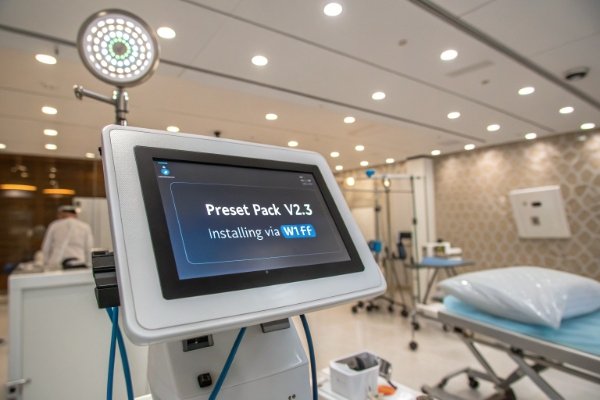
How we handle updates and support
- Quarterly packs: New or refined protocols based on clinic feedback.
- Changelogs: Plain-English notes on parameter shifts and rationale.
- Roll-back option: Keep the previous pack on the device in case you prefer it.
- Remote help: Short videos that demo the new flow in under five minutes.
- Localization: Add languages on request for OEM/ODM partners.
Table: Update paths and what they allow
| Path | What You Can Do | Who Uses It Most |
|---|---|---|
| USB file | Load new presets; back up user sets | Clinics with offline policy |
| Wi-Fi OTA | Auto-receive approved packs | Multi-site networks |
| Service tool | Bulk push to many devices | Distributors/biomed teams |
How Do Presets Map to Head Diameter, Shape, and Depth Cues?
Presets are stronger when the screen also tells you which applicator to mount. That keeps energy delivery predictable across staff.
Each preset in our library recommends a head diameter and shape, and suggests a gel pad depth for focused systems 8. This turns geometry into an easy, repeatable choice rather than guesswork.
Quick mapping we embed in presets
| Region/Indication | Suggested Head | Why This Choice |
|---|---|---|
| Plantar fascia | Ø15 mm flat (soft option if tender) | Balanced footprint, stable contact |
| Patellar tendon | Ø10–15 mm flat | Focused dose on small target |
| Lateral elbow | Ø6–10 mm point/flat | Pinpoint over tendon origin |
| Gluteal myofascial | Ø25–35 mm flat/concave | Fast coverage of large area |
| Cervical paraspinals | Soft 15–20 mm | Comfort near bony edges |
Do Preset Modes Change Total Cost of Ownership?
Owners often ask if presets are just a software perk, or if they affect the bottom line. They do.
Presets lower training costs, cut session overrun penalties, and reduce error-driven callbacks. Over a year, those minutes and avoided issues add up.
Simple cost view (example)
| Item | Without Strong Presets | With Strong Presets |
|---|---|---|
| Onboarding hours (new hire) | 10–12 h | 4–6 h |
| Avg. setup time per case | 3–5 min | 1–2 min |
| Post-session complaints | Higher variability | Lower, more stable |
| Throughput per room | Lower | Higher by 1–2 patients/day |
What Should Importers Ask About Interchangeability and Spare Parts in a Preset-Driven Workflow?
Presets are powerful only if the right heads and parts are on hand.
Importers should confirm that every preset’s recommended head is available, stocked, and easy to change. Also align spare kits and labels to the library, so staff grab the correct head on the first try.
Key labels should support Unique Device Identification (UDI) 9 to prevent mix-ups.
Do Presets Affect Warranty, Service, or Regulatory Compliance?
This is a good point that many forget.
We validate our presets within the device’s rated ranges, so using them keeps you inside warranty and user-manual guidelines. For regulated markets, we maintain design files that trace preset changes to verification data, following FDA design-control principles 10.
Conclusion
Presets turn a powerful device into a simple daily tool. They speed up sessions, standardize results, and make training painless. As a manufacturer, I build libraries that you can trust on day one—and grow with over time through safe updates and clear guidance.
Footnotes
1. ESWT overview for indications, mechanisms, and use. ↩︎
2. Why human-factors design improves medical UIs. ↩︎
3. Evidence summary for ESWT in plantar fasciitis. ↩︎
4. Clinical outcomes of ESWT in patellar tendinopathy. ↩︎
5. Differences between radial and focused ESWT. ↩︎
6. FHIR basics for exporting structured session data. ↩︎
7. FDA guidance on secure postmarket device updates. ↩︎
8. Physics of focused shockwaves and coupling media. ↩︎
9. UDI system helps identify and track accessories. ↩︎
10. Design controls link presets to verification data. ↩︎

 English
  Español de México
  Deutsch
  Français
  العربية
  Русский